What are Sending Hours and how do I set my own?
Sending Hours are the days and times, in a time zone you choose, when Outreach Autopilot may send your cold emails. Until you set your own, they are 13:00 to 21:00 UTC (1:00 PM to 9:00 PM), Monday to Friday, and interested replies are answered at any hour. To change them, open Settings, go to the Outreach Autopilot card and click Set My Sending Hours.
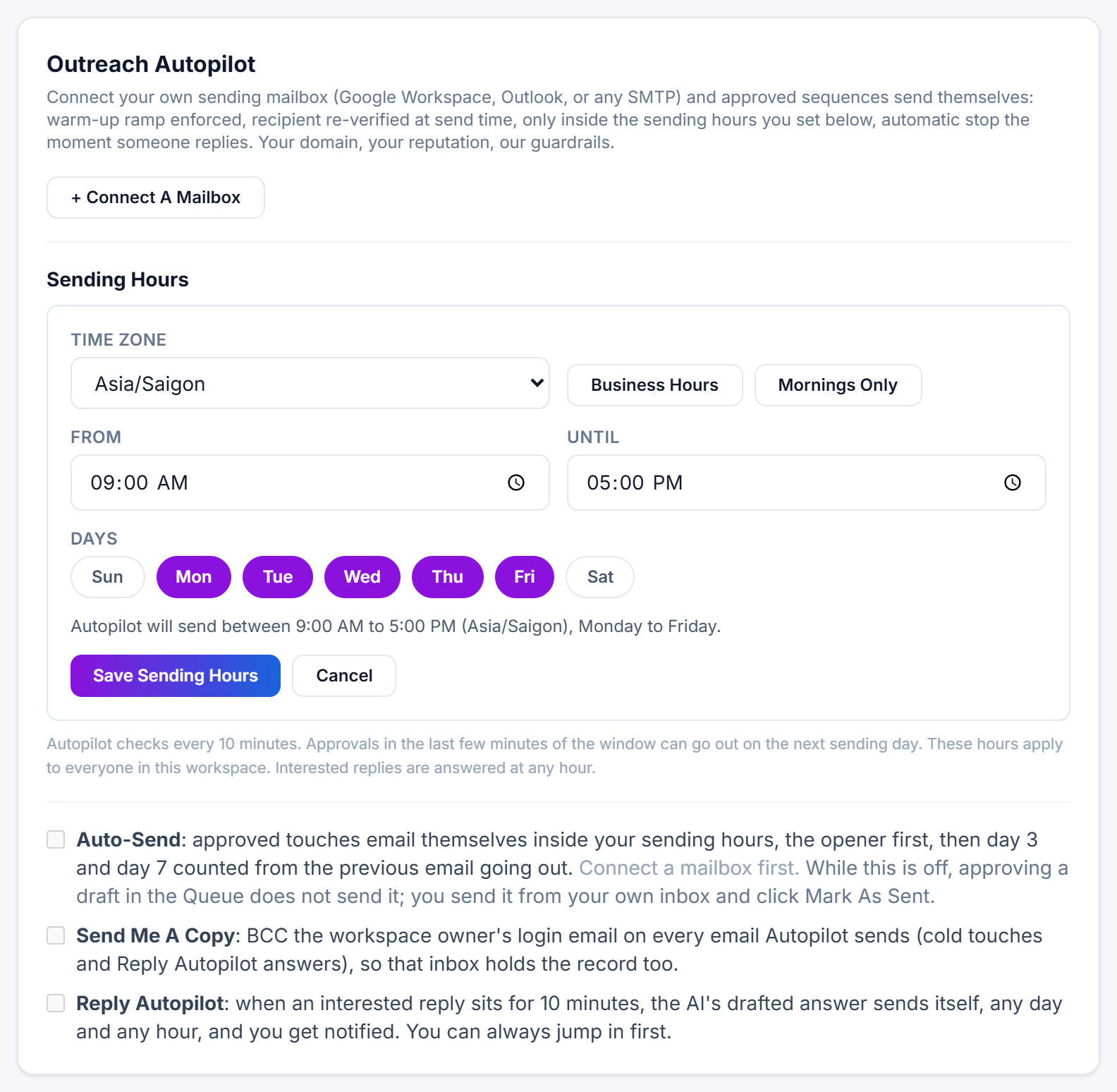
The default hours
The default is 13:00 to 21:00 UTC, Monday to Friday. That is 9:00 AM to 5:00 PM US Eastern in summer and 8:00 AM to 4:00 PM in winter. If your prospects are somewhere else, set your own hours so they hear from you during their working day.
When your computer's time zone is not UTC or New York and you are still on the default, Settings adds You are on the default hours. Pick your own time zone and save.
Steps
- Open Settings and scroll to the Outreach Autopilot card. Under Sending Hours, click Set My Sending Hours. Once you have saved your own hours, the button reads Change Sending Hours.
- Pick your Time zone. The first time, it starts on your computer's time zone.
- Set the times. Business Hours fills in 09:00 to 17:00 and Mornings Only fills in 08:00 to 12:00. Or type your own From and Until times.
- Under Days, click a day to switch it on or off. Days shown in purple are included. The first time, Monday to Friday are on.
- Check the line under the days. It spells out your window, for example
Autopilot will send between 9:00 AM to 5:00 PM (Europe/London), Monday to Friday. - Click Save Sending Hours.
Your hours save straight away; you do not need Save Settings at the bottom of the page. Cancel closes the form without saving. If a red message appears instead, see why Sending Hours will not save.
After saving, the card reads Autopilot will send between your hours, followed by the time it is there right now and whether the window is open or closed. That line updates every minute.
Going back to the default
Click Use The Default. It appears once you have saved your own hours, and it switches you back to 13:00 to 21:00 UTC, Monday to Friday, straight away.
Good to know
- Autopilot checks every 10 minutes. An email approved in the last few minutes of your window can go out on the next sending day.
- Sending Hours apply to everyone in your workspace. On a team seat set to Outreach only, Save Sending Hours and Use The Default are refused with Your seat is set to outreach only. Ask the account owner to change it. in red, so ask the account owner to set them. See what an outreach only seat can do.
- They only limit cold emails, including follow-ups. Reply Autopilot answers interested replies any day, at any hour. See what Reply Autopilot does.
- Hours follow the clock in the time zone you pick, so daylight saving changes are handled for you.
- Your time zone also decides when a new day starts for your daily counts: the send ramp and each mailbox's sent today number reset at midnight there.
- If your computer is in a different time zone from your Sending Hours, Settings also shows the window in your own clock, after in your clock that is.
- When Autopilot is on, the green banner at the top of the Outreach Queue shows your current hours, with a link to change them: Set Sending Hours In Settings or Change Hours In Settings.
Still stuck?
A real person on the Legiit team will help. No bots, no runaround.
Contact Supporthelp@legiit.com