How do I contact support?
There are two ways to reach us, and both land in the same place. Fill in the form at Contact Support, or email help@legiit.com yourself. A real person on the Legiit team reads it and replies from help@legiit.com.
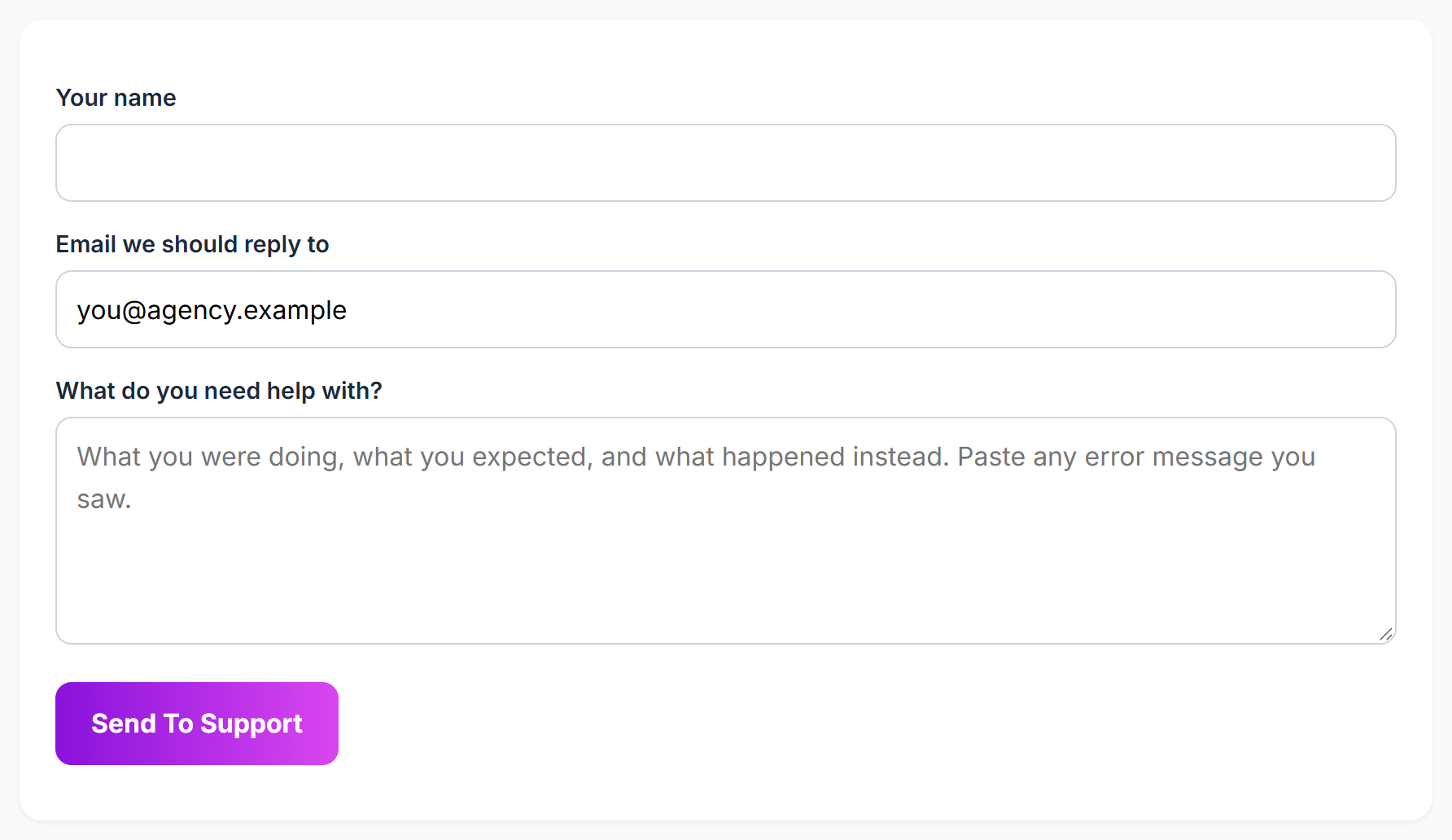
Send a message from the help center
- Open the help center. In the app, the Help Center → link is at the bottom of the sidebar, under your searches meter.
- Click Contact Support. It is at the bottom of every help article, under Still stuck?, and in the footer of every help center page.
- Fill in Your name, Email we should reply to and What do you need help with?. If you are signed in to Legiit Leads in the same browser, your account email fills in on its own.
- Click Send To Support.
When it goes through you will see a short confirmation saying we have it and that a real person replies from help@legiit.com. Keep an eye on the inbox you typed into the form, including the spam folder, because that is where the reply lands.
What to put in the message
The box asks for what you were doing, what you expected, and what happened instead. Paste any error message you saw, word for word, and say which page you were on. The message must be at least 10 characters. If you send the form from inside an article, the page you came from travels with the message, so we can see what you were reading.
Legal, privacy and GDPR questions
The same address handles those too. Every legal page ends with a line reading Questions: help@legiit.com, privacy questions and requests go to the same inbox, and it is the address to write to if you want to exercise your GDPR rights. See where to find the Terms, Privacy Policy and GDPR Statement.
Good to know
- The form allows 5 messages an hour from one internet connection. If you hit that, or if the form tells you it could not send, email
help@legiit.comdirectly instead. Nothing is lost by doing that. - You do not need an account to use the form. If you cannot sign in, write to us anyway and say which email address you signed up with.
Still stuck?
A real person on the Legiit team will help. No bots, no runaround.
Contact Supporthelp@legiit.com