How does the onboarding wizard find my first leads?
On a new account with no searches yet, the Dashboard opens a 3 step wizard: Who do you sell to?, What do you sell? and Ready to hunt. Clicking Find My First Leads saves your offer, name and company to Settings, runs a real search for your niche and city, and opens the results page while the leads come in. The AI then drafts 3-touch pitch sequences for your top 5 leads with an email address and emails you a summary, so your first session ends with pitches waiting for approval instead of an empty dashboard.
Steps
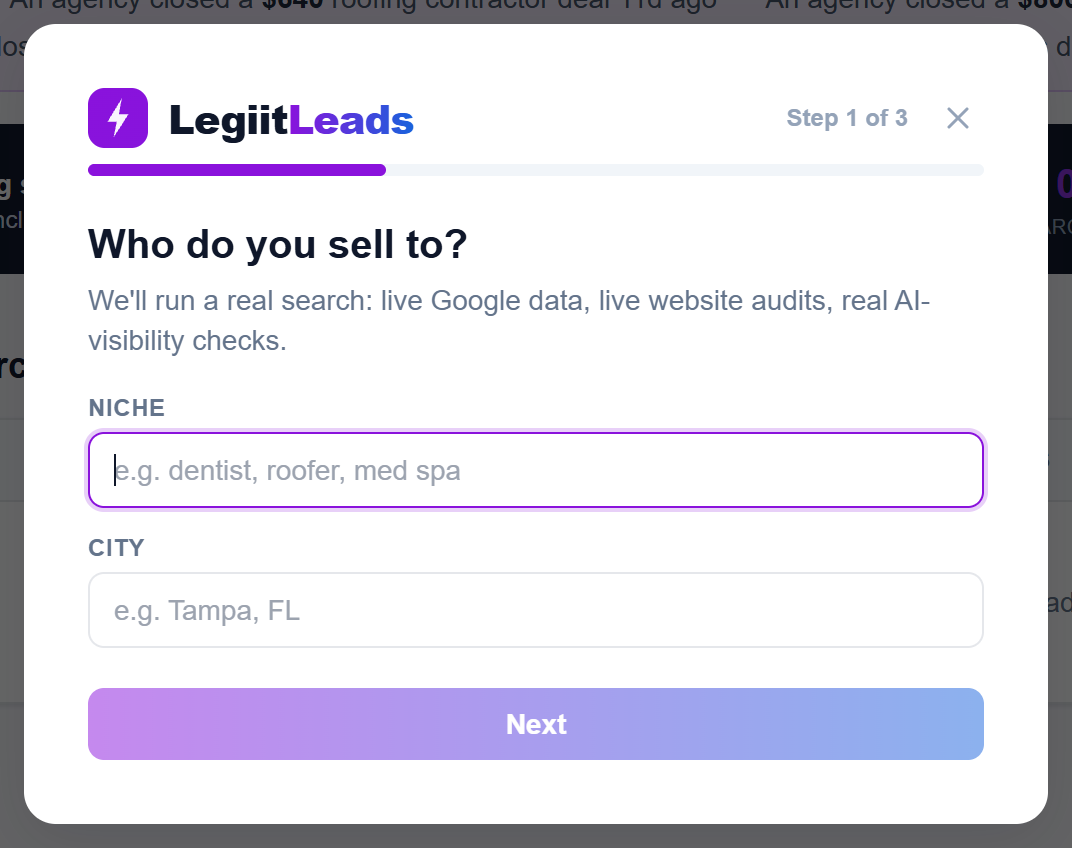
- Sign in. While your account has 0 searches, the wizard covers the Dashboard, with a Step 1 of 3 counter and a progress bar at the top. Right after checkout a green line also reads ✓ Payment Set Up. Your 7 Day Free Trial Is Active.
- Who do you sell to? Type a Niche, for example
dentist, roofer, med spa, and a City. The City box suggests cities as you type. Next stays disabled until both have at least 3 characters. - What do you sell? Describe Your offer in a sentence or two; the AI cites it in every pitch it writes for you. Add Your name and Company. Next enables once Your offer has at least 10 characters; name and company have no minimum. Back returns to step 1.
- Ready to hunt. This screen lists the 4 things about to happen: the live search and website audits, an AI assistant asked who it recommends, 3-touch pitch drafts for your top 5 leads, and approving, editing or skipping each one in the Outreach Queue. Click Find My First Leads. It reads Launching… while the search is created, then the results page opens.
What happens after you click
- Your offer, name and company are saved to Settings (only the boxes you filled in) and your account is marked as onboarded.
- The search runs. The results page reads Searching Google Places and auditing every website live. Leads appear as they finish… and refreshes itself every few seconds until the search completes.
- The top 5 leads with an email address, ranked by score, each get a 3-touch pitch sequence written from your offer and the AI assistant's answer. The first touch ends with a P.S. linking to that lead's live proof page.
- Once at least 1 pitch is drafted you receive an email titled Your first campaign is ready: N leads, N pitches drafted. It lists each lead by name and score with a link to its proof page and has an Open the Outreach Queue button. Approve, edit or skip each pitch in the Outreach Queue.
If it does not work
- A red message with a Choose Your Plan button means your account has no active plan; the button closes the wizard and opens Settings. See Why does the wizard show Choose Your Plan instead of running my search?.
- Any other error shows in red and Find My First Leads becomes clickable again so you can retry.
- The X at the top right of the wizard, beside Step 1 of 3, hides it for this visit only. It returns each time the Dashboard loads until you run it or run a search of your own. See Why does the onboarding wizard keep reopening?.
Good to know
The wizard's search is recorded like any search you run yourself and uses 1 of your monthly searches. The searches meter at the bottom of the sidebar updates to show it.
- The onboarding search uses no problem filters and does not limit results to leads with an email, so you see every business found.
- Niche and City are both required. Next stays greyed out until you have typed at least 3 characters in each.
- The wizard only appears while your account is on a plan, or right after checkout while your payment is still being confirmed.
Was this helpful?
Thanks, that helps us improve this article.
Still stuck?
A real person on the Legiit team will help. No bots, no runaround.
Contact Supporthelp@legiit.com