Where is the navigation menu on my phone?
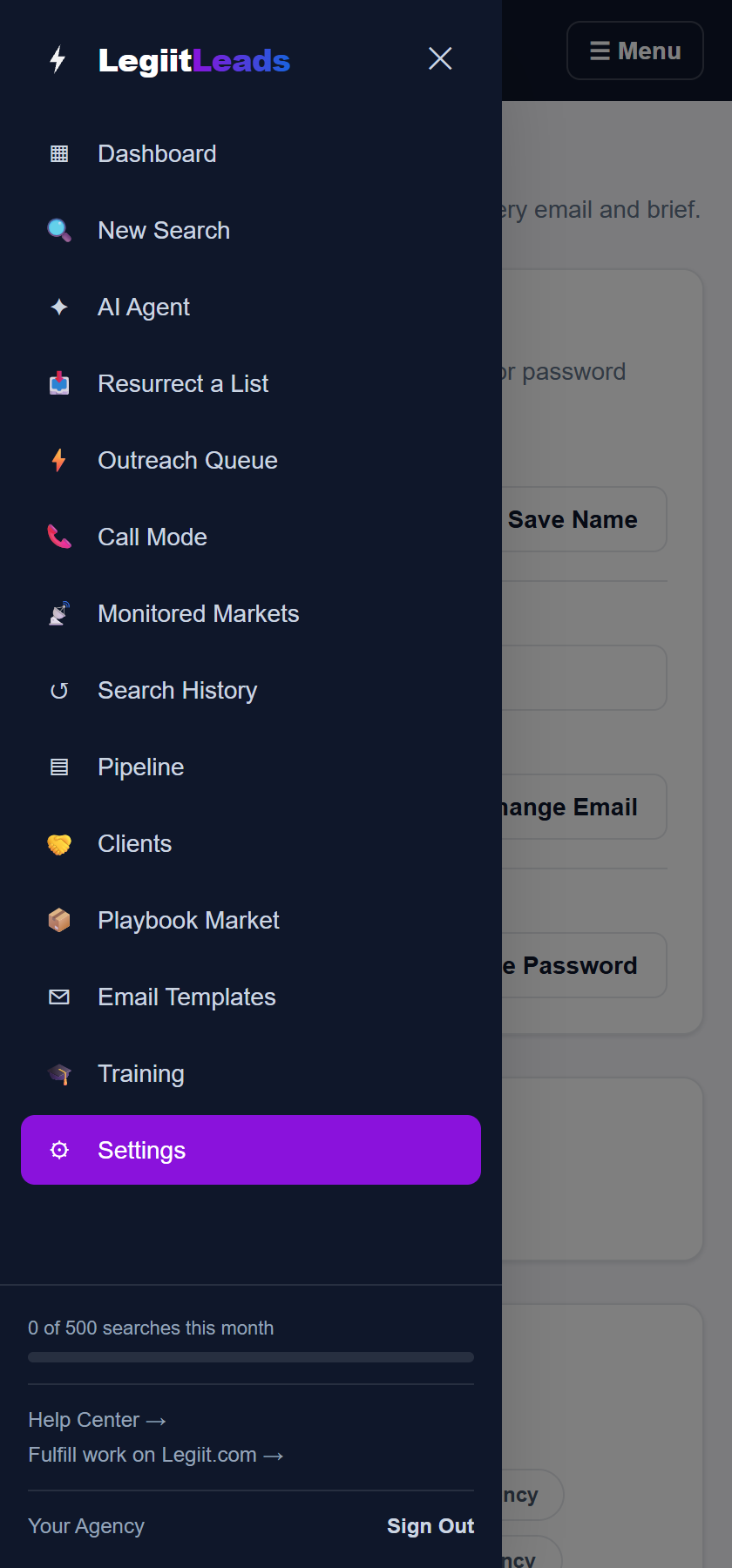
On a phone, or any narrow screen, the sidebar is replaced by a bar across the top of the screen with a ☰ Menu button on the right. Tap ☰ Menu to open the same navigation as a drawer, then tap the page you want. To close the drawer without picking anything, tap the ✕, tap the darkened page behind it, or press the Escape key.
Steps
- Look at the top of the screen. The bar shows the Legiit Leads logo on the left and ☰ Menu on the right, and it stays in place while you scroll.
- Tap ☰ Menu. The menu opens down the left side of the screen and the rest of the page darkens behind it.
- Tap the page you want, for example New Search or Outreach Queue. The drawer closes by itself and that page opens.
What is in the drawer
The drawer is the full sidebar, not a shorter version. Under the logo you get the complete navigation list, from Dashboard to Settings. If the list is taller than your screen, it scrolls on its own. At the bottom sit the searches meter (shown once your account is on a plan), a Help Center → link, the Fulfill work on Legiit.com → link, your name and Sign Out. See the sidebar entries article for what each entry does.
Closing the drawer
Any of these closes it:
- Tap an entry in the list.
- Tap the ✕ at the top right of the drawer, next to the logo.
- Tap the darkened part of the screen to the right of the drawer.
- Press the Escape key, if you have a keyboard.
Good to know
The same top bar appears on a desktop or laptop when the browser window is narrow or zoomed in past about 200 percent, which is why the sidebar can seem to vanish on a computer. Zoom back out or widen the window and the sidebar returns to the left side of the screen. Nothing has been removed, and every page is still reachable from ☰ Menu in the meantime.
Still stuck?
A real person on the Legiit team will help. No bots, no runaround.
Contact Supporthelp@legiit.com